 StoreySG
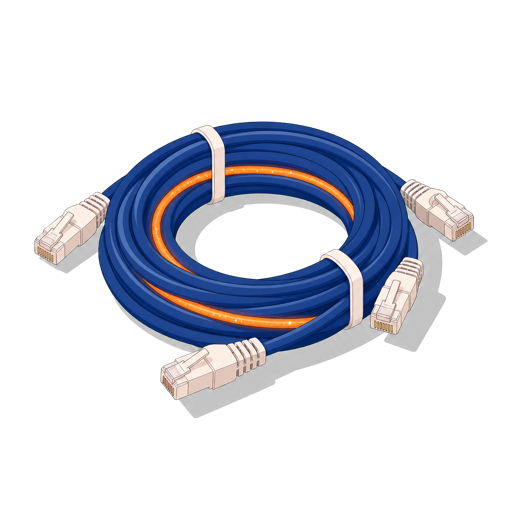
Ethernet vs Fibre — Cat5e, Cat6, Cat6a and Cat8 Explained
Renovation is the best — often the only — time to run wired network cabling. Cat6a copper gets you 10 Gbps to every room, fibre is what your ISP delivers to the ONT at your front door, and Cat8 is built for data centres, not homes. Here is what each category actually means and how to choose.
Copper Ethernet vs Fibre — what is actually different?
Both carry data, but by different physics. Copper Ethernet cables (Cat5e, Cat6, Cat6a, Cat8) send electrical signals over twisted copper pairs. Optical fibre sends pulses of light through a glass or plastic core. Each has a natural home:
- Fibre from your ISP — the cable that runs from the street or riser into your flat terminates at an Optical Network Terminal (ONT). In Singapore, both Singtel and M1/MyRepublic fibre plans deliver this way. You cannot swap this for copper; the ISP's infrastructure is fibre.
- Copper inside the home — from the ONT or router outward to your TV, desktop, NAS, smart TV, games console or ceiling access-point. Copper Cat cable is cheaper, easier to terminate with standard RJ-45 connectors, and entirely sufficient for home speeds.
- Fibre inside the home — possible but rarely necessary. Useful for runs longer than 100 m (unlikely in an HDB or condo), in very high-EMI environments (near large motors or electrical panels), or where Cat8's 30 m limit makes copper impractical.
For almost every Singapore HDB flat or condo unit, the right plan is: fibre to the ONT at the door, then Cat6 or Cat6a copper to every room.
Cat cable categories compared
The "Cat" number is an official TIA/ISO specification, not a marketing badge. Each generation increases the twisted-pair twist rate and, in some cases, adds shielding, to push signal further or faster. The four cables you will encounter in home networking are:
| Category | Bandwidth | Max speed | Distance for top speed | Shielding | Home use verdict |
|---|---|---|---|---|---|
| Cat5e | 100 MHz | 1 Gbps | 100 m | Usually UTP (unshielded) | Adequate for existing installs; do not specify new |
| Cat6 | 250 MHz | 1 Gbps @ 100 m; 10 Gbps only to ~37–55 m | 37–55 m for 10 Gbps | UTP or STP available | Fine if all runs are short; Cat6a is safer for 10 Gbps |
| Cat6a | 500 MHz | 10 Gbps | 100 m | STP (shielded) recommended; F/UTP common | Recommended for new renovations |
| Cat8 | 2000 MHz | 25 Gbps (Cat8.1) or 40 Gbps (Cat8.2) | ~30 m | S/FTP (fully shielded, required) | Overkill for homes; built for data-centre top-of-rack |
"Cat6e" is not an official TIA or ISO/IEC standard. You may see it on packaging or in marketing materials — it has no defined specification and should be treated as Cat6.
Reading the table — what the numbers mean in practice
Cat5e hits 1 Gbps reliably across a full 100 m run. For most homes in 2026 that is the maximum of their ISP plan anyway — but it does not future-proof 2.5 G or 10 G switches, which are already appearing in prosumer home setups.
Cat6 is rated to 250 MHz. It can carry 10 Gbps, but only up to about 37–55 m — the exact limit depends on crosstalk conditions. In a real home with patch cables, wall-plates and keystone jacks in the channel, assume the shorter end. If every cable run in your flat is under 30 m and you use quality jacks, Cat6 can work for 10 Gbps; if any run might stretch longer, you are gambling.
Cat6a doubles the bandwidth to 500 MHz and is specified to carry 10 Gbps the full 100 m, with no asterisk. The thicker cable (typically 6–7 mm vs Cat6's 5–6 mm) means slightly harder bends in tight conduit, but for a renovation where conduit is open, this is a non-issue. Cat6a is the practical sweet spot.
Cat8 is a data-centre standard — the extremely tight shielding (S/FTP, with individual pair foil plus an overall braid) is designed for dense server-rack environments with intense EMI. Its 30 m hard limit makes it unsuitable for most home runs. Unless you are running a server rack in your study and the switch is literally on the same rack, Cat8 adds cost and stiffness with no benefit over Cat6a in a home.
Shielding — UTP vs STP and when it matters
Unshielded twisted pair (UTP) works perfectly in most homes. Shielding (F/UTP — foil wrap; S/FTP — foil plus braided screen) adds immunity to electromagnetic interference, which matters in two scenarios:
- Cables running parallel to and close to mains power wiring for long distances
- Industrial or very dense wireless environments
In an HDB or condo, UTP Cat6a is fine for nearly every run. If your electrician is bundling data and power cables in the same conduit for more than a short distance, ask for them to be separated or use shielded Cat6a — and make sure the shield is bonded at both ends to a proper earth, otherwise shielding can actually act as an antenna.
Spend on quality keystones and patch panels, not just the cable itself. A Cat6a cable terminated with an undersized Cat5e keystone will perform as Cat5e. Match every component in the channel to the same category.
Why wiring during renovation is critical
Running Ethernet after a renovation is messy, visible, or both. Cables end up surface-mounted in trunking along skirting boards, or drilled through door frames. Neither is as clean as cables hidden inside the walls and ceilings during the hack-and-rebuild phase.
The time to decide where you want wired ports is before your carpenter panels the false ceiling and your tiler puts down the screed. Key points to wire during renovation:
- Living room / TV wall — at least two ports: one for the TV/media player, one for a future ceiling access-point or NAS
- Master bedroom — desk and/or media corner; one port minimum
- Study or home office — this is the highest-bandwidth room; run two Cat6a cables here
- Ceiling positions for access points — the best Wi-Fi coverage comes from ceiling-mounted wired APs; plan at least one central ceiling drop per open zone. Read more in Mesh Wi-Fi vs wired access points
- Utility / comms room or cupboard — centralise your ONT, router and patch panel here if space allows
Even if you are not buying 10 Gbps equipment today, the cable is almost free relative to the renovation cost and nearly impossible to retrofit cleanly. Wire Cat6a now; future you will be grateful.
Fibre inside the home — the real story
Internal optical fibre is technically possible and is used in high-end installations, but it comes with a different set of trade-offs:
- Requires LC/SC patch panels and media converters (or fibre-native switches) — more expensive and less DIY-friendly
- Fibre itself cannot be bent tightly; minimum bend radius is much stricter than copper
- Termination errors are harder to self-diagnose than copper Ethernet
In practice, fibre inside the home is only worthwhile if you have a run genuinely longer than 100 m (rare in any residential unit), want complete electrical isolation between two network segments, or are running a professional A/V or broadcast setup. For everything else, Cat6a copper is simpler and cheaper.
Practical recommendations for a Singapore home
To summarise what this means for planning your renovation:
- Accept the ISP fibre feed to the ONT — you have no choice here.
- Specify Cat6a UTP or F/UTP for all in-wall and ceiling runs. It is the right future-proof choice at a modest cost premium over Cat6.
- If all your runs are comfortably under 30 m and budget is tight, Cat6 can work — but budget for upgrading keystones and patch panels to Cat6-rated ones too.
- Do not bother with Cat8 for a residential project.
- Plan ceiling drops for wireless access points. Wired-backhaul APs give better, more consistent performance than mesh nodes on wireless backhaul. See what affects Wi-Fi signal for why building materials make this even more important in concrete HDB blocks.
- Once you know your room layout and wall positions, you can plan port placements to the millimetre — useful when you are working from a precise floor plan.
Network cabling must go in before false ceilings are boarded and before wall finishes are applied. Confirm the cabling scope with your renovation contractor at the start of the project, not after carpentry has begun. For potential pitfalls in renovation sequencing, see hidden renovation pitfalls.
Design it in StoreySG
Upload your floor plan and design right in the browser — no install, no gaming PC. Edit by natural language, keep 2D and 3D in sync at true millimetre scale, and export a CAD-ready DXF, render-ready 3D, or a furniture list.
Try the editor freeFrequently asked questions
What is the difference between Cat6 and Cat6a?
Cat6 is rated to 250 MHz and can carry 10 Gbps only up to about 37–55 m. Cat6a runs at 500 MHz and delivers 10 Gbps reliably to the full 100 m. For new renovation cabling, Cat6a is the better choice.
Should I use Cat8 for my home?
No. Cat8 is a data-centre standard with a hard 30 m distance limit at 25–40 Gbps. It is stiffer, more expensive, and offers no practical advantage over Cat6a in a residential setting.
Is 'Cat6e' a real standard?
No. 'Cat6e' is not an official TIA or ISO/IEC category. It has no defined specification and should be treated as ordinary Cat6.
Can I use fibre cables inside my home instead of Ethernet?
Yes, but it is rarely necessary in a residential setting. Fibre adds complexity, cost, and stricter bend-radius requirements. The practical reason to use internal fibre would be runs genuinely longer than 100 m or a need for complete electrical isolation between segments — unlikely in most homes.
When should I run Ethernet cables during a renovation?
Before false ceilings are closed and before wall finishes are applied — ideally in the early hacking and first-fix stage. Once carpentry and finishes are done, neat in-wall cabling is nearly impossible to retrofit.
Do I need shielded (STP/FTP) cable or is UTP fine?
UTP Cat6a is fine for most home runs. Shielding is worth considering if data cables run long distances alongside mains power cabling. If you use shielded cable, make sure the shield is bonded to earth at both ends — an ungrounded shield can act as an antenna and make interference worse.